USPS Free Pickup Schedule: Days, Cutoffs & Rules (2026)
TL;DR
USPS Package Pickup is a completely free service that lets your mail carrier collect prepaid packages from your home or office during their regular delivery route. You can schedule a USPS free pickup Monday through Saturday, up to six months in advance, with no limit on the number of packages. Unlike UPS and FedEx, which charge per-pickup fees, USPS doesn’t cost a dime.
Compare rates across USPS, UPS, and FedEx before printing your label: compare carrier rates here.
Most people dread the post office line. According to a Stamps.com survey, 78% of small business owners make frequent trips to mailing locations, burning time they could spend on actual work. USPS Package Pickup exists to eliminate that trip entirely. Your letter carrier picks up your prepaid packages during their normal delivery rounds, and the service costs nothing.
This guide covers everything about the USPS free pickup schedule: which services qualify, scheduling cutoff times, package restrictions, what to do when pickups get missed, and how the service stacks up against UPS and FedEx alternatives.
What Is USPS Package Pickup?
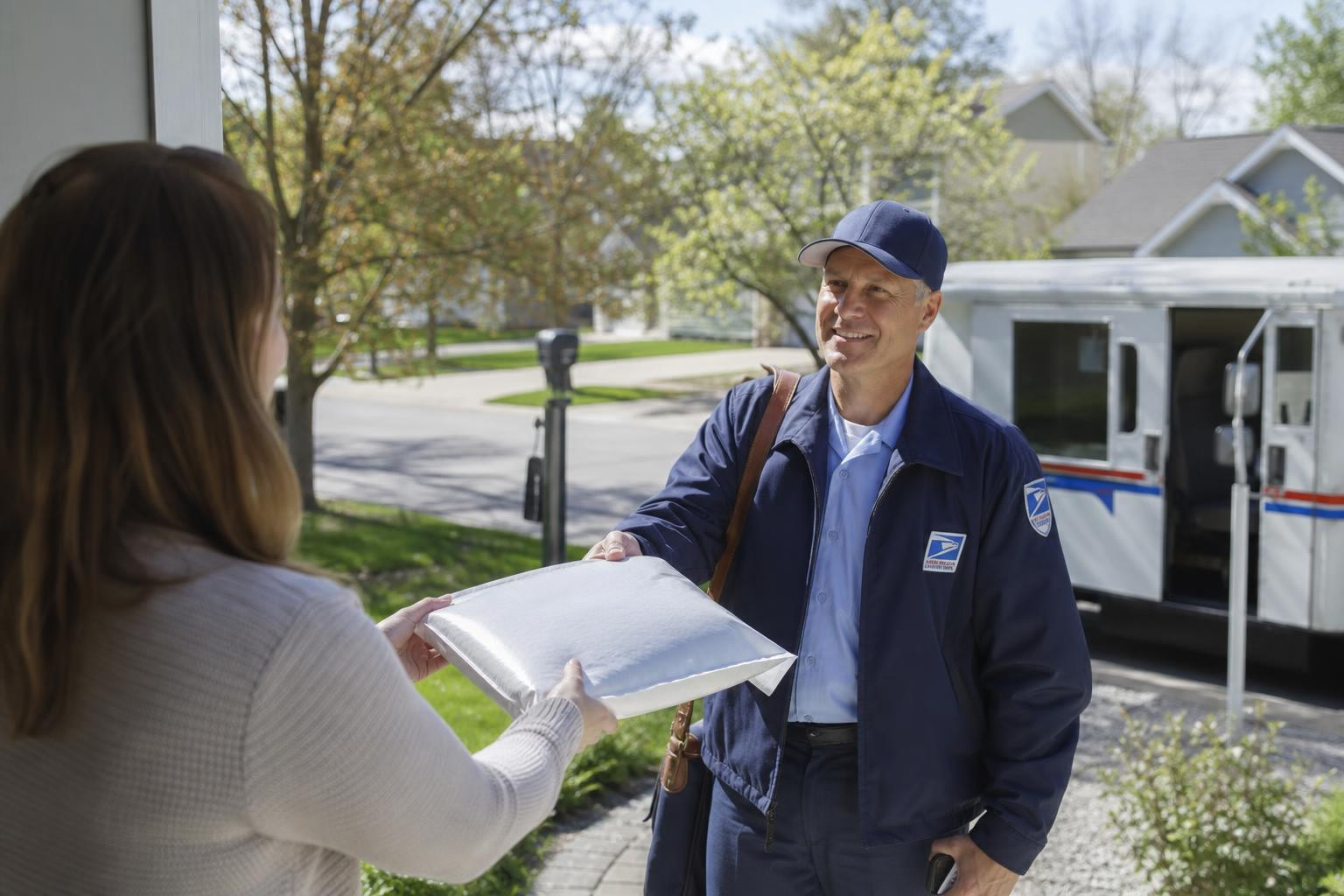
USPS Package Pickup is a free service that allows you to schedule a pickup for the next delivery day or a future date. Your regular mail carrier collects your prepaid packages from a designated spot at your home or office during their route. There is no fee regardless of how many items you’re sending.
Here’s how it works operationally: every morning, your local post office generates a list of pickup requests for each route. Your letter carrier checks that list and stops at your address to collect the packages during their normal delivery. You choose where to leave them (mailbox, porch, front door, side door, etc.), and the carrier grabs them without you needing to be present.
The service covers nearly 98% of residential addresses in the US, though rural routes without regular mail delivery may have restrictions.
Eligible USPS Services for Free Pickup
Not every USPS mail class qualifies. The domestic services eligible for the USPS free pickup schedule are:
- Priority Mail Express (overnight/2-day guaranteed service, learn more about Priority Mail Express)
- Priority Mail (1-3 business day delivery)
- USPS Ground Advantage (2-5 business day delivery)
- All international USPS services
- Military mail shipments (APO/FPO/DPO addresses)
- Return packages with prepaid labels
The Bundling Rule for Non-Qualifying Services
This catches people off guard. Media Mail, Library Mail, and other non-premium services are not eligible for free pickup on their own. However, if you have at least one package using a qualifying service (Priority Mail, Ground Advantage, etc.), you can bundle your non-qualifying packages into the same pickup request. So if you’re shipping 9 Priority Mail packages and 1 Media Mail package, all 10 get picked up.
If you’re only shipping Media Mail, you’ll need to drop it off yourself.
The Ground Advantage Confusion
USPS Ground Advantage is officially eligible for free package pickup when scheduled directly through USPS.com. But some third-party shipping platforms, like ShippingEasy, cannot schedule Ground Advantage pickups within their apps. Their support documentation recommends using the USPS.com Schedule a Pickup page directly for Ground Advantage-only shipments.
This creates real confusion. If your third-party platform won’t let you schedule a Ground Advantage pickup, the problem is the platform, not the service eligibility. Go to USPS.com directly and you’ll be fine. For a full breakdown of USPS rates and services, check our comprehensive guide.
USPS Free Pickup Schedule: Days, Times, and Cutoff Windows
Available Days
You can schedule a USPS free pickup Monday through Saturday. No pickups occur on Sundays or federal postal holidays. If you submit a request on a Saturday afternoon or on a holiday, the pickup rolls to the next scheduled delivery day. For example, a Saturday afternoon request typically gets scheduled for Monday, unless Monday is also a postal holiday.
Cutoff Times (This Gets Confusing)
Different sources report different cutoff times for same-day pickup scheduling, and they’re all correct for different reasons:
- USPS.com directly: You can schedule until 4:59 AM local time on the day of the pickup. After 5:00 AM, same-day pickup is unavailable.
- Third-party platforms (Stamps.com): Requests are accepted until 2:00 AM Central Time for pickup later that day.
- Pirate Ship: Their cutoff is 3:00 AM Eastern Time.
Why the discrepancy? Third-party shipping platforms submit pickup requests to USPS through an API, and that API has an earlier processing deadline than the USPS.com website itself. If you’re scheduling through a third-party tool and miss their cutoff, try going directly to tools.usps.com/schedule-pickup where you have until 4:59 AM local.
No competing guide explains this clearly, and it’s the single biggest source of confusion around the USPS free pickup schedule.
Advance Scheduling and Recurring Pickups
You can schedule a pickup up to six months in advance. For sellers who ship daily, USPS offers a Recurring Pickup Tool that lets you set pickups at regular intervals. A USPS.com account is required for recurring pickups, but one-time pickups can be scheduled without signing in at all. Just fill out the form with your name, address, and contact information.
Recurring pickups follow the same Monday through Saturday availability. They are not available on Sundays or holidays.
Package Pickup vs. Pickup on Demand
USPS offers two distinct pickup services, and mixing them up can cost you $25.
| Feature | Package Pickup (Free) | Pickup on Demand ($25) |
|---|---|---|
| Cost | $0 | $25 per request |
| When it happens | During regular mail delivery (typically 9 AM to 5 PM) | Within 2 hours of your scheduled time |
| Same-day scheduling | Before 5:00 AM local | Yes, with shorter lead time |
| Account required | No (one-time) | Yes |
| Best for | Routine shipments, daily e-commerce fulfillment | Time-sensitive packages that can’t wait for regular delivery |
For most people, the free Package Pickup is more than sufficient. Pickup on Demand makes sense only when you have an urgent shipment that absolutely must leave your location within a specific two-hour window. The $25 fee has held steady with no increase despite general USPS rate hikes in January 2026.
Package Requirements and Restrictions
Weight and Size Limits
Individual items cannot exceed 70 pounds or 130 inches in total length and girth (length plus the distance around the thickest part). There’s no limit on the number of packages per pickup request.
The 10-Ounce Stamp Rule
This is a security regulation that trips up casual shippers constantly. If your package weighs more than 10 ounces or is thicker than half an inch, and you’ve only applied stamps as postage (no printed shipping label), it cannot be picked up. You must take it to a post office retail counter in person.
The fix is simple: use a prepaid shipping label printed from USPS.com or a third-party platform. Printed labels bypass this restriction entirely.
Other Requirements
- All packages must have prepaid postage affixed before pickup
- International packages with handwritten customs forms cannot be picked up (use electronic customs forms instead)
- Packages must be visible and accessible at your chosen pickup location
How to Schedule a USPS Free Pickup
The process takes about two minutes:
- Go to the USPS Schedule a Pickup page at tools.usps.com. No account needed for a one-time request.
- Enter your address and contact information. Select your pickup date (next delivery day or up to six months out).
- Specify package details. Enter the number and type of packages, their estimated weight, and select a pickup location (mailbox, porch, front door, side door, etc.).
- Submit and confirm. You’ll receive a confirmation email. If you didn’t provide an email, the carrier leaves a physical pickup confirmation notice after collection.
That’s it. Place your packages at the designated location before your carrier arrives, and they’ll handle the rest.
For Etsy sellers who ship frequently, our guide on scheduling USPS pickups for Etsy walks through integrating pickup scheduling into your daily workflow.
How to Modify or Cancel a Scheduled Pickup
You can edit or cancel a pickup request until 4:59 AM local time on the pickup day using your confirmation number and email. From there you can change the date, update package details, or cancel entirely. You can push a pickup back by up to three months, which is faster than canceling and rebooking from scratch.
Scheduling Through Third-Party Shipping Software
Most popular shipping platforms support USPS free pickup scheduling directly within their interface:
- Pirate Ship allows scheduling through their dashboard, widely used in reseller communities
- Stamps.com integrates carrier pickup requests with a 2:00 AM CT cutoff
- ShippingEasy supports pickup scheduling for Priority Mail and Priority Mail Express, but not Ground Advantage (schedule those directly through USPS.com)
One useful feature available in most platforms: the SCAN form. If you’re shipping more than a few packages, generating a SCAN form lets the carrier scan a single barcode that logs all your packages as accepted at once. No individual scanning required. High-volume shippers on YouTube walkthroughs consistently recommend this as essential for anyone moving more than five packages a day.
If you’re evaluating which platform to use, compare label providers to find the best fit for your volume and budget.
What to Do If USPS Misses Your Pickup
Missed pickups are the most common complaint about the service, and they happen more often than USPS would probably like to admit.
Practitioners on Pirate Ship’s support forums explain the root cause: “Your local Post Office gets a list of pickup requests every morning, and the letter carrier who delivers mail on your route is supposed to look at that list and remember to knock on your door. Unfortunately, sometimes the letter carrier simply forgets or is so overworked that they can’t make it happen.”
Substitute carriers are the biggest weak link. One shipper described waiting all day only to find packages still on the porch at 6 PM because a temporary carrier didn’t see the pickup request. Their advice: if your regular mail gets delivered and the packages are still there, assume the pickup was missed and have a backup plan.
Even more concerning, practitioners report on Shipping School that USPS sometimes sends “pickup completed” confirmation emails when packages weren’t actually collected. One commenter noted: “I have had several missed pickups, and I do get notification that the ‘pick-up’ was completed. That is concerning.”
Your Options After a Missed Pickup
- Reschedule for the next delivery day through USPS.com
- Drop off at a blue collection box if packages are under 10 ounces with printed labels
- Take packages to the post office or a nearby shipping center
- Contact your local Postmaster if missed pickups happen repeatedly. This is the most effective long-term fix.
A practical workaround that one shipping blogger recommends: leave a physical note for your mail carrier in the mailbox the day before a scheduled pickup. Most carriers are happy to collect packages even if the digital manifest glitches.
Why SCAN Forms Help With Missed Pickups
Beyond convenience, SCAN forms create a timestamped acceptance record. When the carrier scans it, all your packages immediately enter the USPS tracking system with an acceptance scan. This protects you if a buyer opens a claim, and it gets tracking information flowing sooner than waiting for the first distribution center scan.
Want to see how USPS rates compare to UPS and FedEx before you ship? Check discounted rates available through shipping software partners.
How USPS Free Pickup Compares to UPS and FedEx
The USPS free pickup schedule stands alone among major carriers. Both UPS and FedEx charge per-pickup fees.
| Feature | USPS Package Pickup | UPS On-Call Pickup | FedEx Pickup |
|---|---|---|---|
| Cost | Free | ~$9.05 to $14.75 per stop | Per-pickup fee (account required) |
| Account needed | No (one-time) | Yes | Yes |
| Same-day scheduling | Before 5:00 AM local | Before ~3:00 PM local | Varies |
| Max weight per item | 70 lbs | 150 lbs | 150 lbs |
| Days available | Monday to Saturday | Monday to Friday (Saturday for extra fee) | Monday to Friday |
The cost difference adds up fast. A small seller scheduling five UPS pickups per week at roughly $9 each spends over $2,300 a year just on pickup fees. USPS charges nothing.
The tradeoff is reliability and weight capacity. UPS and FedEx handle packages up to 150 pounds and offer tighter pickup windows. USPS caps at 70 pounds and delivers pickups within a broader daily window. For heavier items, you may need UPS or FedEx regardless. For a deeper UPS vs. USPS cost comparison, see our detailed breakdown.
Pickup Location Options
When scheduling, you select where the carrier should look for your packages. The available options include:
- In/at mailbox
- On the porch
- Front door
- Back door
- Side door
- Knock on door / ring bell
- Mail room
- Office
- Reception
- Other (with custom instructions)
Choose a spot that’s visible and accessible without the carrier needing to enter your home. If porch theft is a concern in your area, the “knock on door” option ensures someone hands packages directly to the carrier. For general tips on keeping packages secure, our guide on preventing porch pirates covers the basics.
Related Terms
SCAN Form: A single barcode that, when scanned by the carrier, logs all your outgoing packages as accepted simultaneously. Essential for anyone shipping more than a handful of items.
Click-N-Ship: USPS’s online tool for purchasing and printing shipping labels. Labels printed through Click-N-Ship are eligible for free package pickup.
Recurring Pickup Tool: A USPS.com feature requiring an account that lets you schedule automatic pickups on a regular weekly or daily basis.
Pickup on Demand: The paid ($25) USPS pickup option with a guaranteed two-hour pickup window. Different from the free Package Pickup service.
USPS Ground Advantage: USPS’s standard shipping service for packages under 70 lbs, eligible for free pickup directly through USPS.com.
Ready to find the cheapest rate for your next shipment? Compare shipping rates across USPS, UPS, FedEx, and more with our free calculator.
Frequently Asked Questions
Does USPS charge for package pickup?
No. Standard USPS Package Pickup is completely free, regardless of how many packages you schedule. The paid option, Pickup on Demand ($25 per request), is a separate service with a guaranteed two-hour pickup window.
Do I need a USPS account to schedule a free pickup?
No, not for a one-time pickup. Just visit the USPS Schedule a Pickup page and fill out the form. You only need a USPS.com account if you want to use the Recurring Pickup Tool or schedule Pickup on Demand.
Can USPS pick up packages from my home?
Yes. Your mail carrier collects prepaid packages from your home during their regular delivery route. You choose the pickup location (mailbox, porch, front door, etc.) when scheduling.
What is the latest I can schedule a same-day USPS pickup?
Through USPS.com, the cutoff is 4:59 AM local time. Third-party platforms like Stamps.com and Pirate Ship have earlier cutoffs (2:00 AM CT and 3:00 AM ET, respectively) because they submit requests through USPS’s API.
Can I schedule a USPS pickup for Media Mail only?
No. Media Mail, Library Mail, and other non-premium services are only eligible when bundled with at least one qualifying service like Priority Mail or Ground Advantage.
Does USPS pick up on Saturday?
Yes. The USPS free pickup schedule runs Monday through Saturday. Pickups are not available on Sundays or federal postal holidays.
Does USPS pick up on Sunday?
No. Sunday pickups are not available through either the free Package Pickup or the paid Pickup on Demand service.
What should I do if USPS misses my scheduled pickup?
Reschedule for the next delivery day through USPS.com. If missed pickups become a pattern, contact the Postmaster at your local post office directly. As a backup, you can drop packages at a blue collection box (if under 10 oz with printed labels) or bring them to the post office yourself.